When Kimberly Rosenbaum walked into P.S. 197, The King’s Highway Academy, in central Brooklyn six years ago, she was met with an ambitious goal from her administration: build an instrumental music program from scratch.
At the time, the school had no band, no orchestra, and no instrumental inventory. Today, P.S. 197 boasts a fourth-grade band, a fifth-grade band, an after-school string orchestra, a jazz band, and fully includes students with exceptionalities that want to participate in music-making.
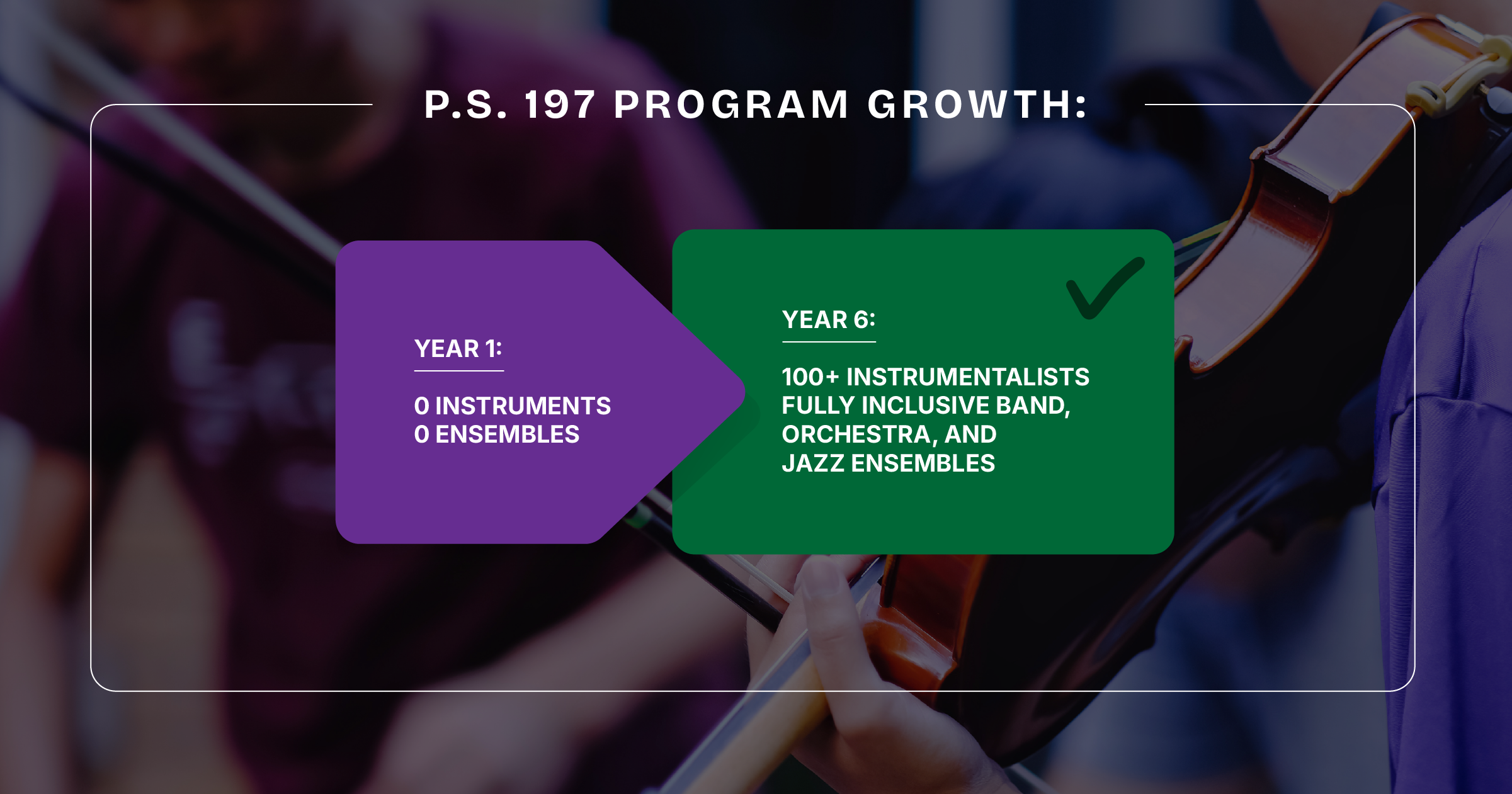
Managing a school population that boomed to 1,200 total students across grades 3K through 5th is a massive operational feat and Rosenbaum teaches around 15 General Music sections, pulls small groups for 20-minute lunch and recess lessons. She needed an assistant in the room.
The In-Class “Teaching Assistant”: Reclaiming the Rehearsal Space
In an elementary instrumental setting, teaching a small group of 10 beginner alto saxophones or brass players during a compressed lunch period can be chaotic. If the director is stuck in the front of the room waving a baton or counting off starts aloud, they can’t always efficiently address individual students and their unique physical mechanics.
Rosenbaum uses MakeMusic in her classroom to act as an automated conductor.
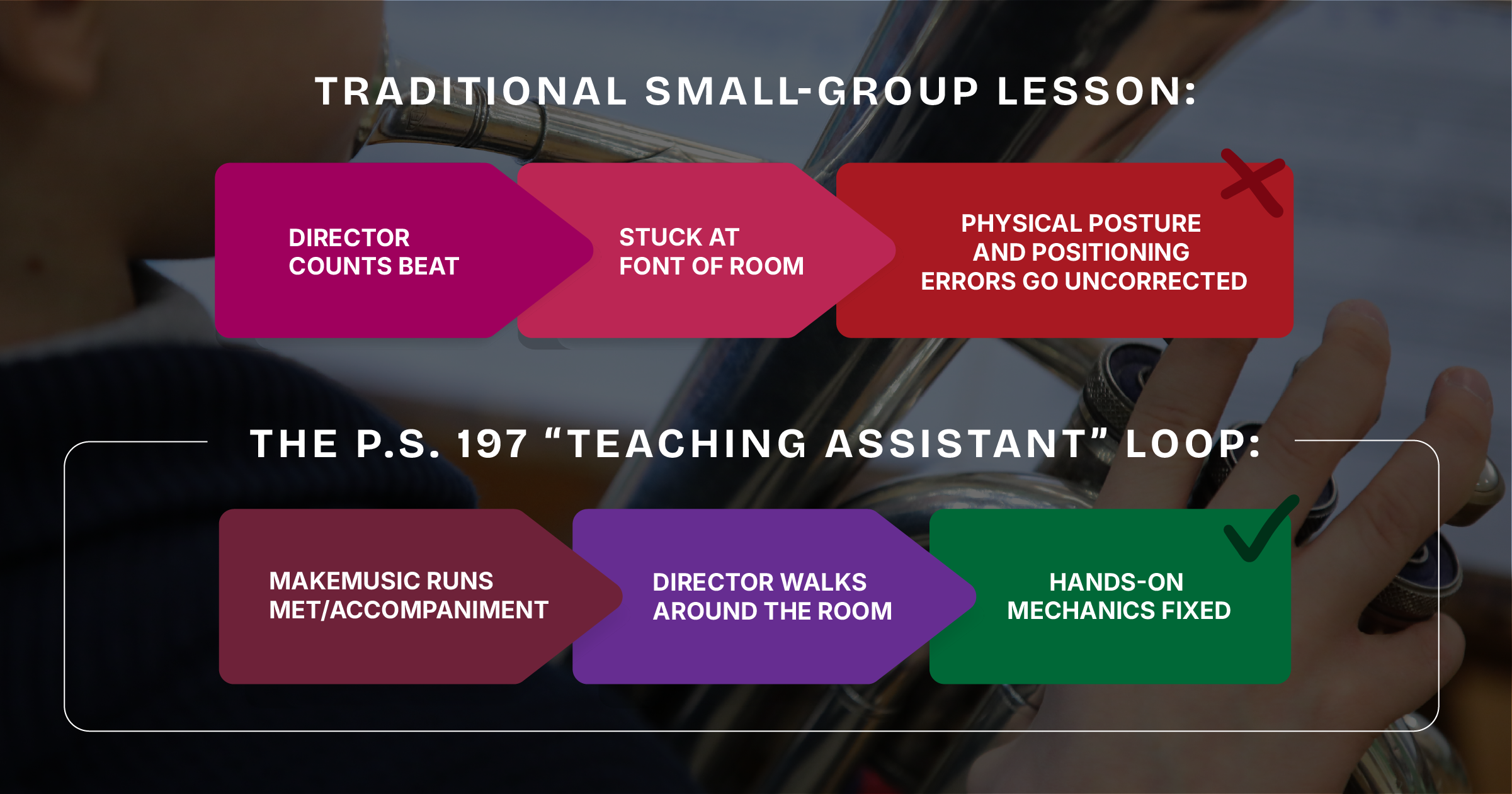
“MakeMusic allows me to take a step away from being a conductor and lets me really focus on just being a teacher,” Rosenbaum explains. “They know the count-off is coming, the program takes them through, and I can go student-by-student down the line to fix hand position, embouchures, and instrumental positions while they play.”
Unlocking NYCDOE Procurement: The “Sole Source” Shortcut
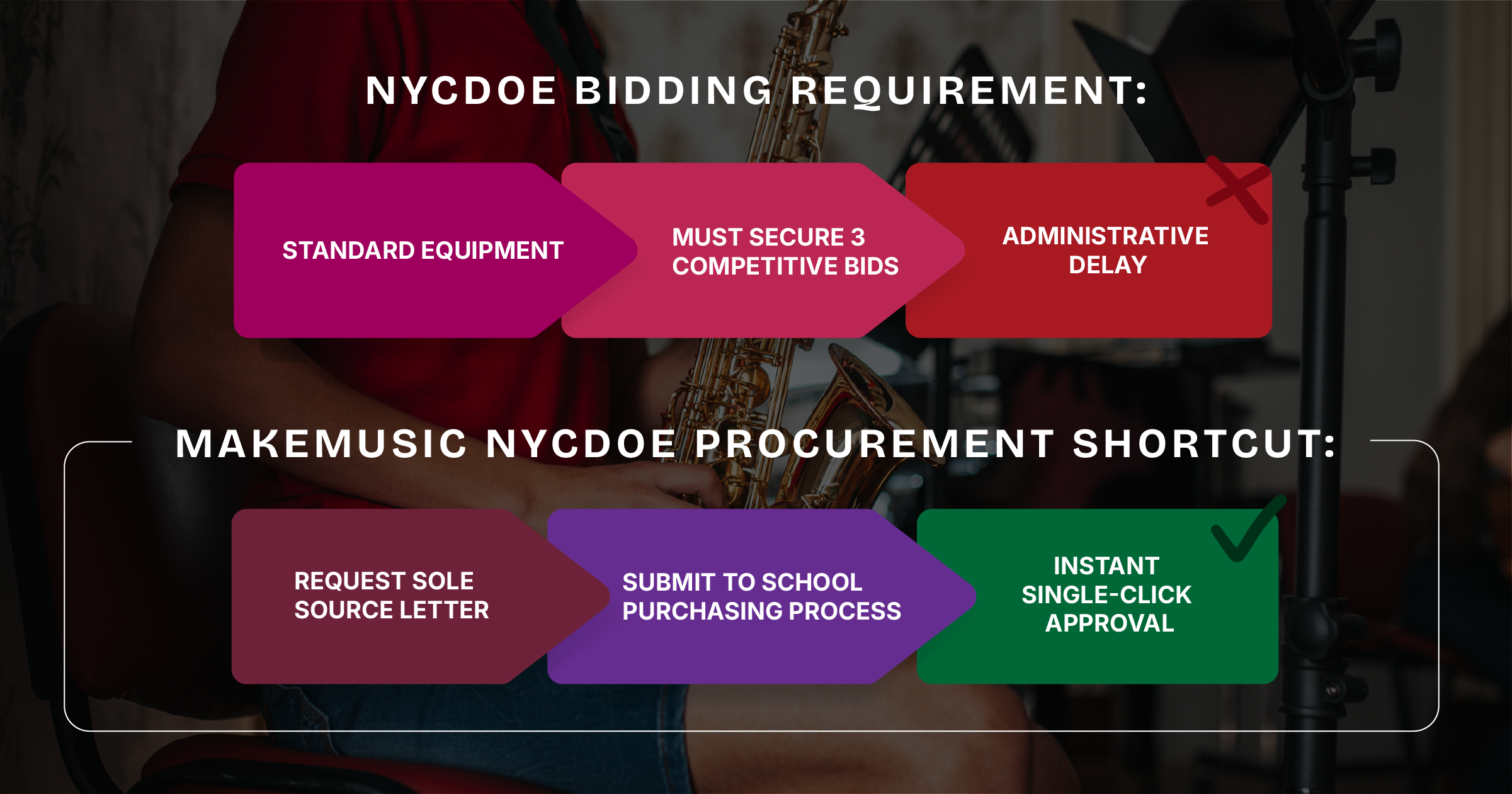
For many public school teachers in New York City, navigating the district’s complex purchasing portals (FAMIS/ShopDOE) feels overwhelming. Standard purchases often require securing three competitive bids from different vendors; a process that stalls software rollouts before they begin.
Rosenbaum discovered a simple workaround that every NYCDOE music educator can replicate: The Sole Source Vendor Letter.
“MakeMusic provides a sole-source letter stating you can’t buy this tool anywhere else,” says Rosenbaum. “You give that letter to your purchasing secretary, and they don’t have to ask for three bids because there’s only one source. It’s one of my easiest purchases of the entire year.”
 \
\Universal Access: Bridging Language and Ability Barriers
Located in a vibrant Brooklyn neighborhood, P.S. 197 serves an exceptionally diverse population. Many students are multi-lingual or entering the school system as English Language Learners (ELL).
To ensure every child can participate, Rosenbaum layers her core method book roadmap with supplemental digital materials inside the platform. When teaching non-English speaking string or wind students, she deploys the Spanish-translated editions of Alfred Music’s Sound Innovations directly inside MakeMusic.
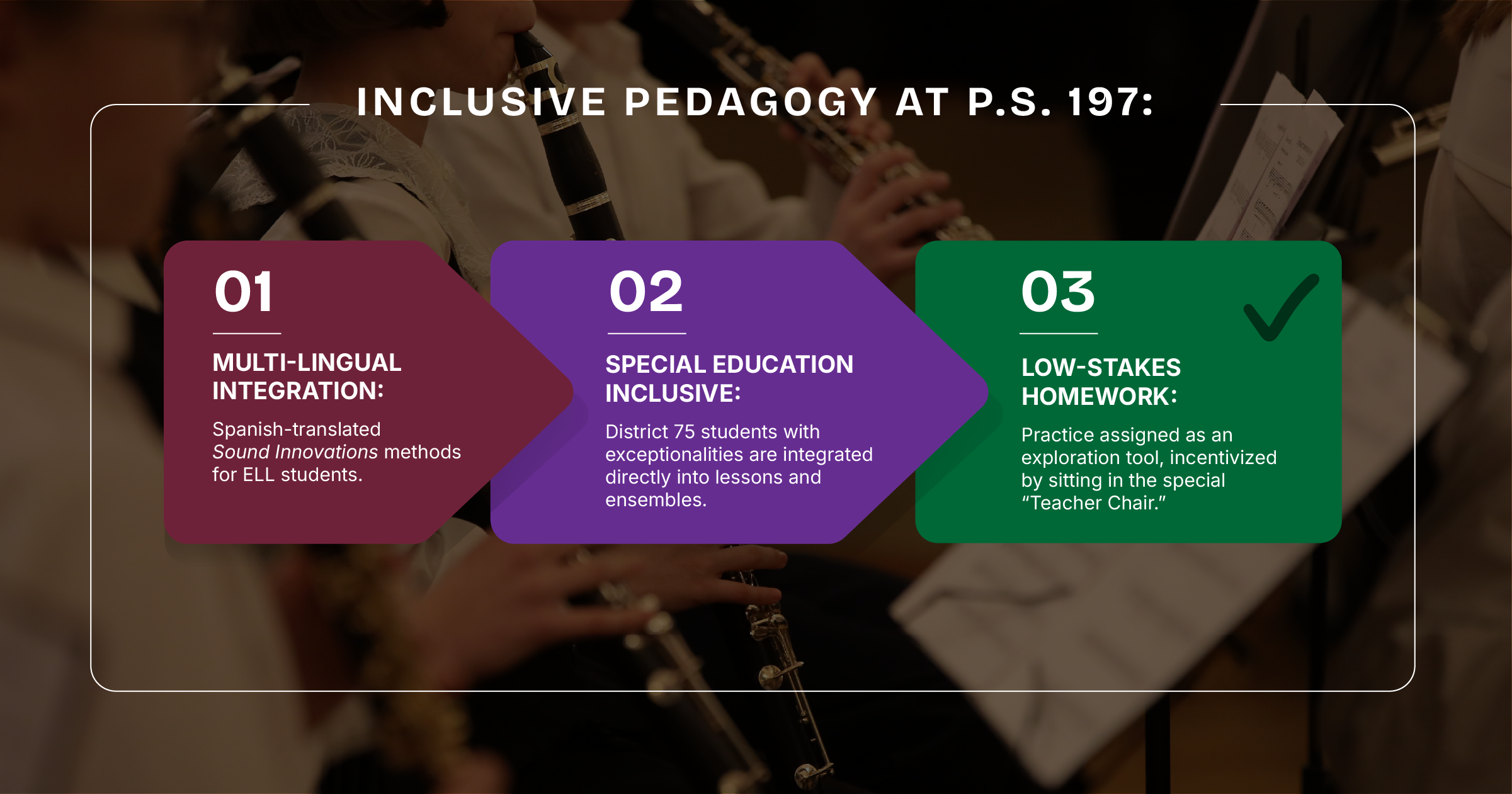
Furthermore, students in self-contained District 75 classes walk into the auditorium at the end of the day to play alongside 50 of their peers in full ensemble rehearsals. The visual red/green note feedback engine provides these young musicians with an intuitive, non-verbal practice partner at home.
The Director’s Advice: “It’s About Giving Access”
For educators on the fence about incorporating digital practice software with elementary or urban ensembles, Rosenbaum’s perspective is grounded in student empowerment:
“MakeMusic isn’t a rigid curriculum; it’s a flexible tool. You’re giving students access to resources they wouldn’t otherwise have. When you give a kid an instrument and the right tools to practice, they just take off with it. Why wouldn’t you give them that opportunity?”
Elevate Your Instrumental Classroom Today
Ready to streamline your small-group lessons and simplify district purchasing? Learn how MakeMusic can serve as your in-class teaching assistant by starting a free trial today.